Charge on sunshine. No cloud required.

AmpKeeper is a small plug-in device that charges your EV from your excess solar. It talks directly to your inverter, battery and wallbox to manage charging. Special support for Tesla via Bluetooth means no vendor API account, no per-command fees, and no smart wallbox needed. Full functionality runs on your LAN forever with no subscription service required.

Or join the self-flash beta →
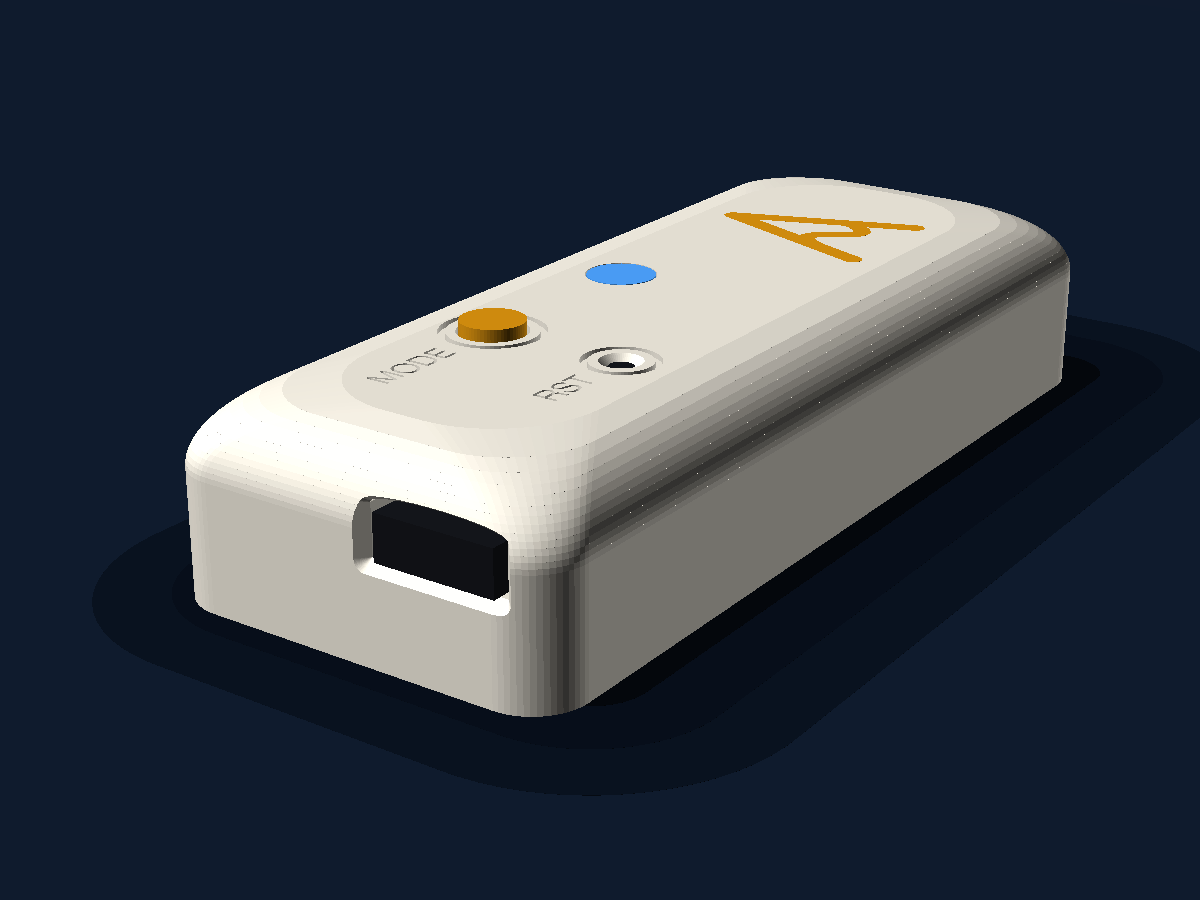
The AmpKeeper device: a small cream rounded box about 73 mm long, with an orange AmpKeeper "A" mark on top, an orange MODE button, a RST pinhole, a blue status LED, and a USB-C socket in one end.
3D render of the current enclosure design. Drag to rotate.

5 min

Setup, no app

~2 W

Power draw

0

Cloud accounts or keys

1 box

+ inverter, battery, wallbox, car

Why local matters

Cloud services end. Your solar doesn't.

Solar-aware EV charging has traditionally required buying an expensive vendor-specific wallbox that only works with a particular brand of inverter. Often a cloud service is required to talk to your inverter and your car. These services come with a cost: the control loop leaves your house, the vendor can change the rules at any time, and you lose functionality if the internet goes down.

For Teslas the situation is worse - every command sent to a Tesla through its Fleet API is now billed per use. Wakeups, reads and amp changes all become part of an ongoing cost.

AmpKeeper solves this by keeping the control loop local, so your car charges on solar even if the internet goes down or the vendor shuts off their service: your inverter over local SunSpec Modbus, your wallbox over OCPP on your own LAN, your car over Bluetooth as a paired vehicle key. No online services required.

Nothing to bill, nothing to log into, nothing that can be switched off. Every feature that runs on your LAN today keeps working the same way tomorrow, with or without an internet connection.

For times when you want to check in from outside the house, but don't want the complexity of setting up remote access via port forwarding or router configuration, AmpKeeper Connect is also available as an optional add-on, but it's additive, never a functional requirement.


How it works

Three steps, then you forget about it.

Step 01

Plug in

Power it up and join the AmpKeeper-XXXX Wi-Fi. The setup page appears: pick your network, name the device, done. After that it lives at http://ampkeeper.local. Nothing to install from an app store.

Step 02

Connect

Point it at your inverter over local SunSpec Modbus, and let your wallbox connect to it over OCPP 1.6J. AmpKeeper is the server, so any EV charging through a compatible wallbox is covered. Driving a Tesla? Pair it over Bluetooth too, approved once at the car like adding a key card. Direct charge control with no Tesla API account needed.

Step 03

Forget it

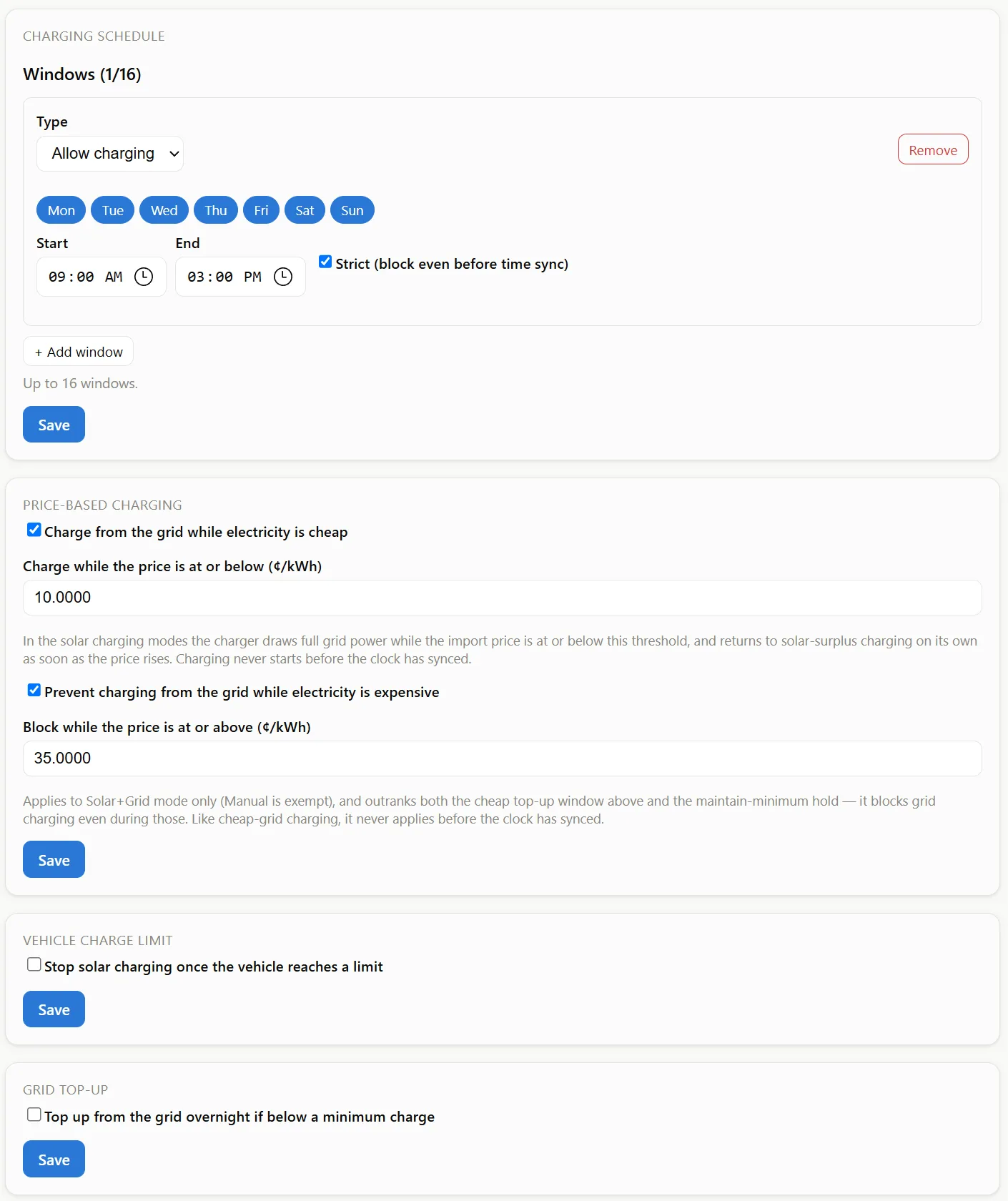
The car follows the sun: excess-solar tracking, house-battery priority, per-day schedules, do-not-charge peak windows, a grid top-up so you still wake up charged. Open the dashboard when you're curious, not when something's broken.


What you get

01

All-in-one device - no subscription required

Everything the box does to charge your car on solar happens inside your home, free, for as long as the box works. No account to keep alive, no token to refresh, no renewal email.

02

Charges any EV

Because your wallbox does the charging, AmpKeeper works with any EV that plugs into an OCPP-connected charger, not just Tesla. Control happens through the wallbox, so it works the same whatever badge is on the bonnet.

03

Something extra for Tesla

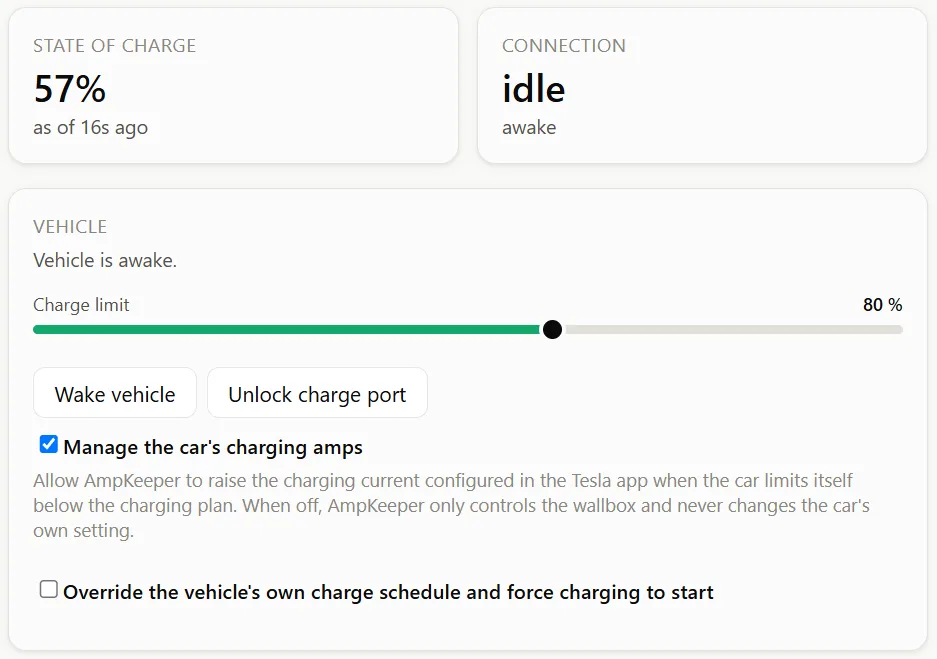
If you drive a Tesla, the box also talks to it directly over Bluetooth: wake it, read state of charge, set the charge limit, start or stop charging. No Tesla Fleet API account, no per-command fees. And if your Tesla charges from a basic wallbox or a portable charger, AmpKeeper can control the car itself, adjusting its charge rate to follow your solar. No smart wallbox to buy.

04

Keeps working when your internet doesn't

The whole control loop is on your LAN. A dropped NBN connection or a dead upstream service doesn't stop your car charging on solar.

05

Your car soaks up the solar you'd otherwise export

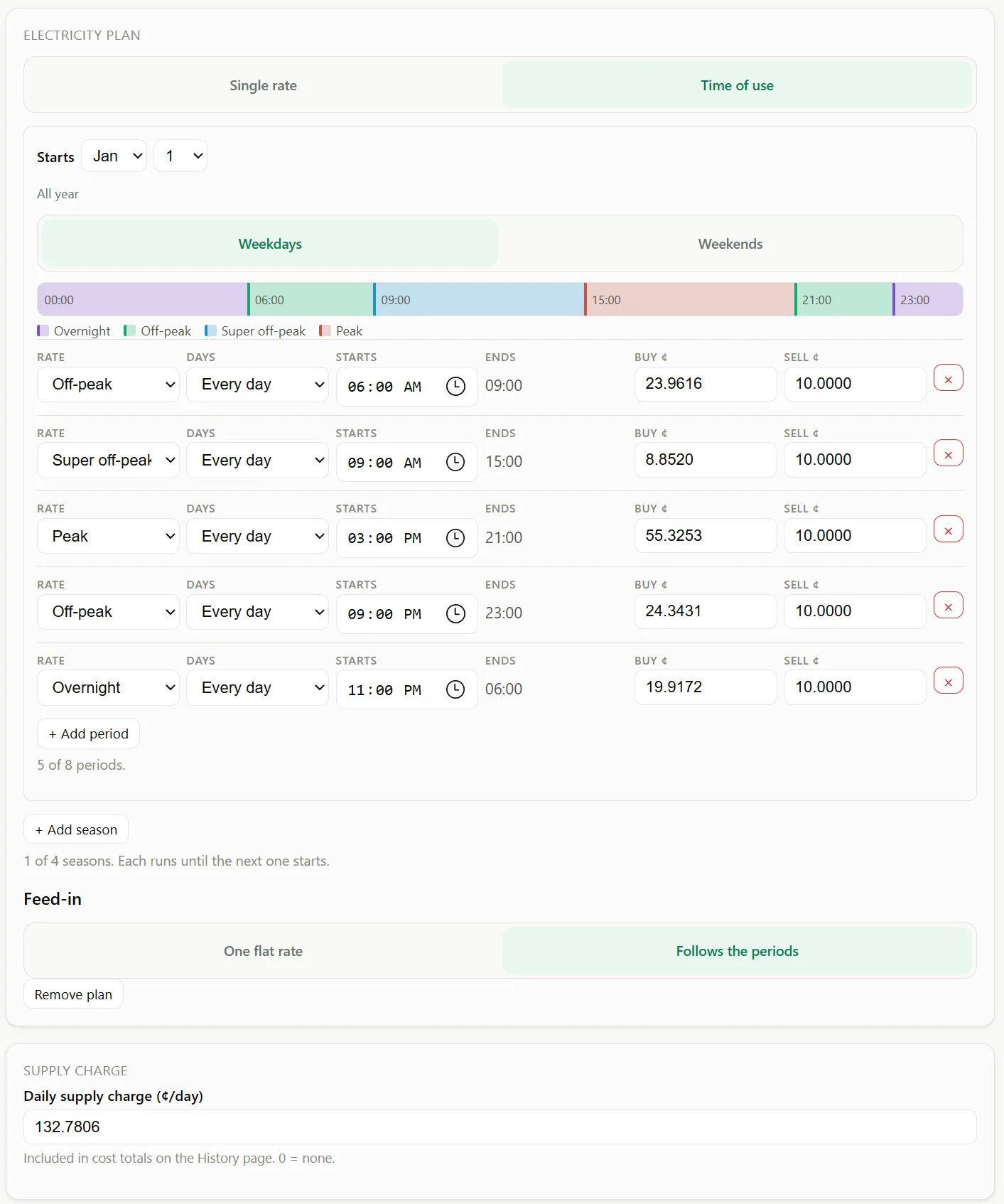
Exported solar earns you a few cents per kilowatt-hour; buying it back at peak rates costs many times that. AmpKeeper puts that surplus in the car instead: solar-only or solar+grid modes follow the clouds up and down automatically, with a minimum state-of-charge top-up for the days it doesn't shine. Or enter your electricity plan and charge opportunistically in your cheapest grid-price windows.

06

Your house battery isn't in a fight with your car

AmpKeeper reads your home battery's state of charge and power, and can put it first - battery to full, then the car - so the reserve you keep for the evening stays yours. If you've just added a battery, this is the box that decides who gets the sunshine first.

07

Works with the gear you already own

Open standards each way: local SunSpec Modbus for inverters, OCPP 1.6J for wallboxes. Sigenergy and Fronius inverters and ZJ Beny wallboxes are developer-tested daily; other SunSpec and OCPP brands are designed to work and are being validated in the beta right now.

08

See every kilowatt, and what it's costing you

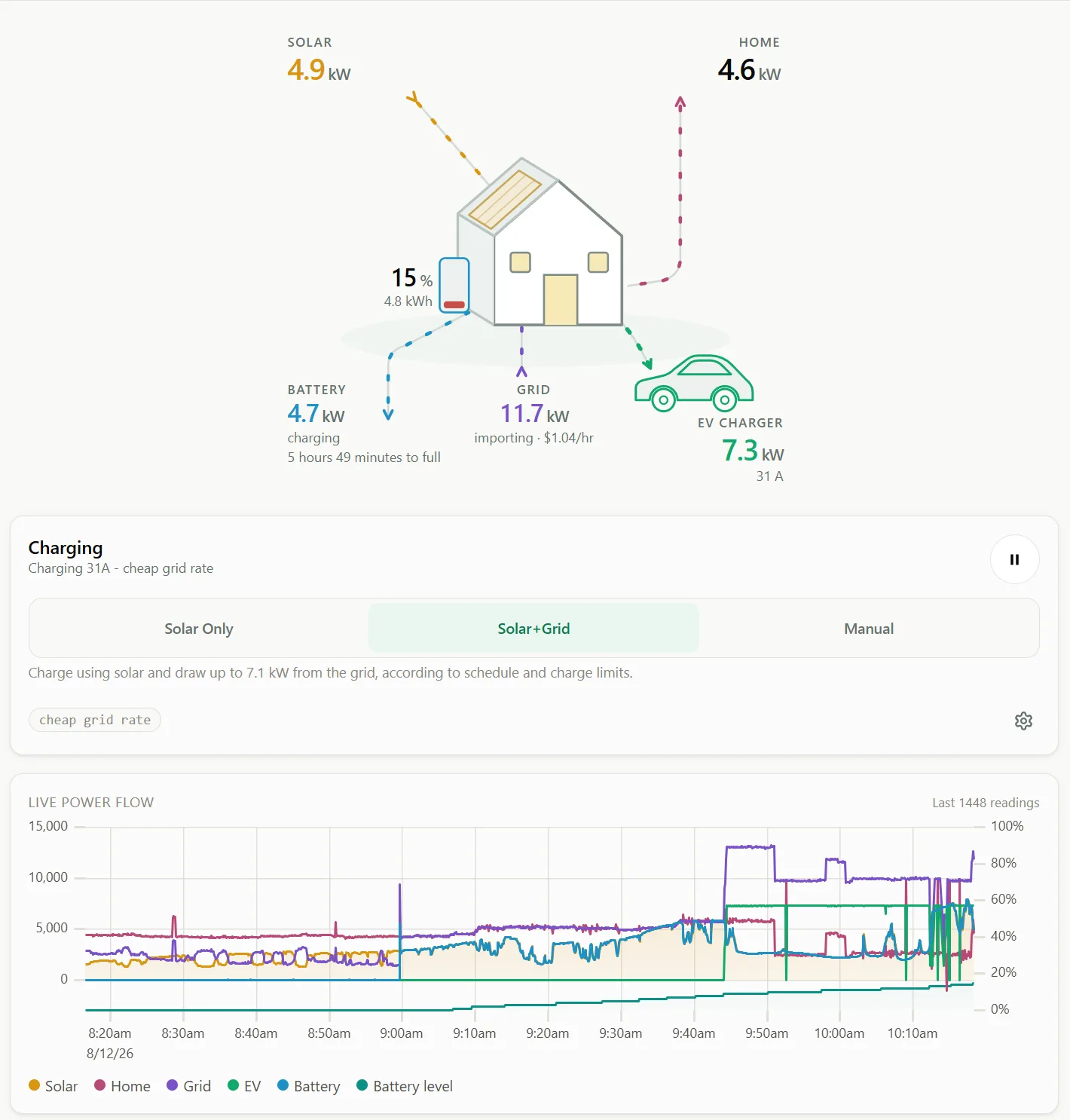
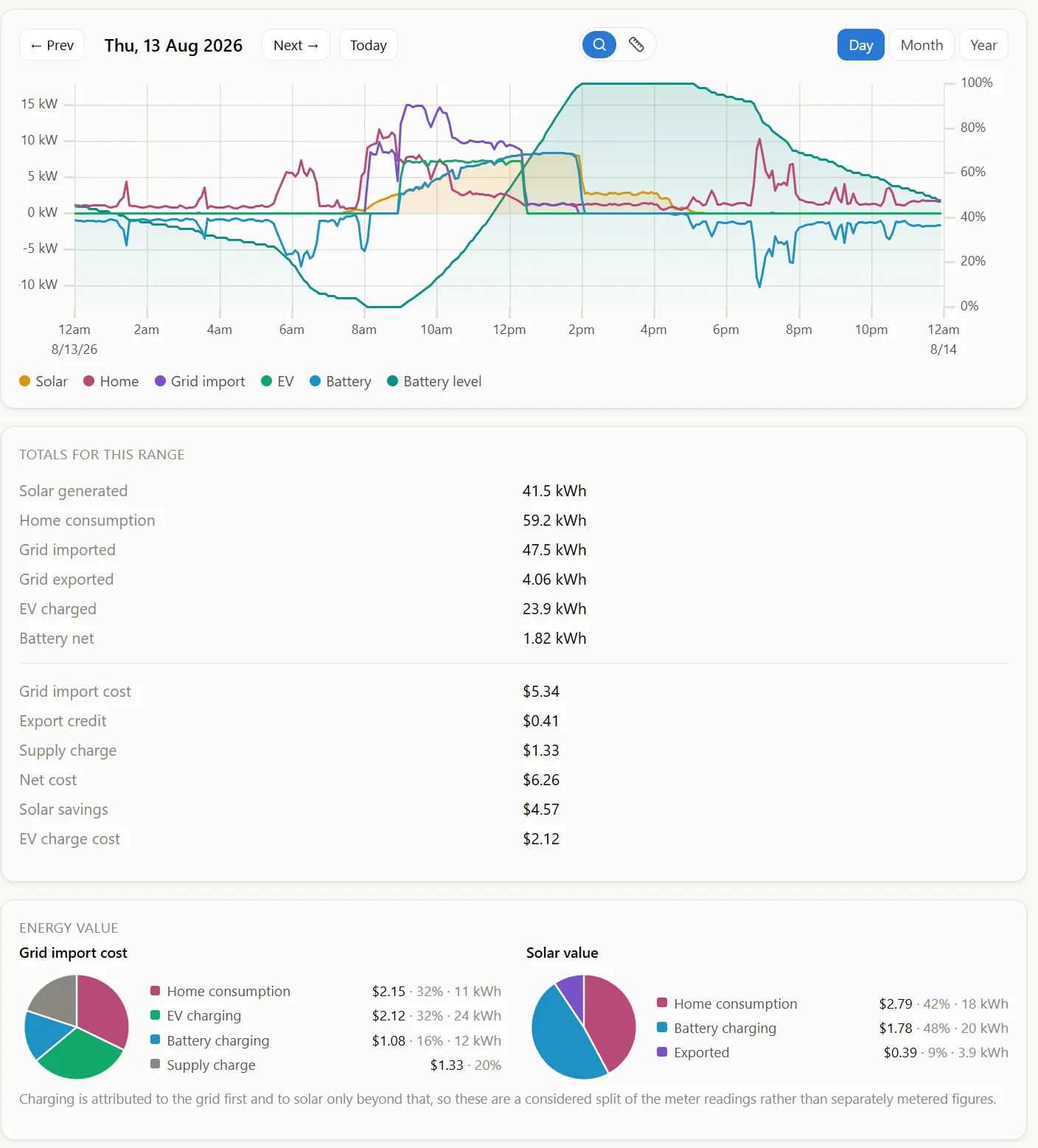
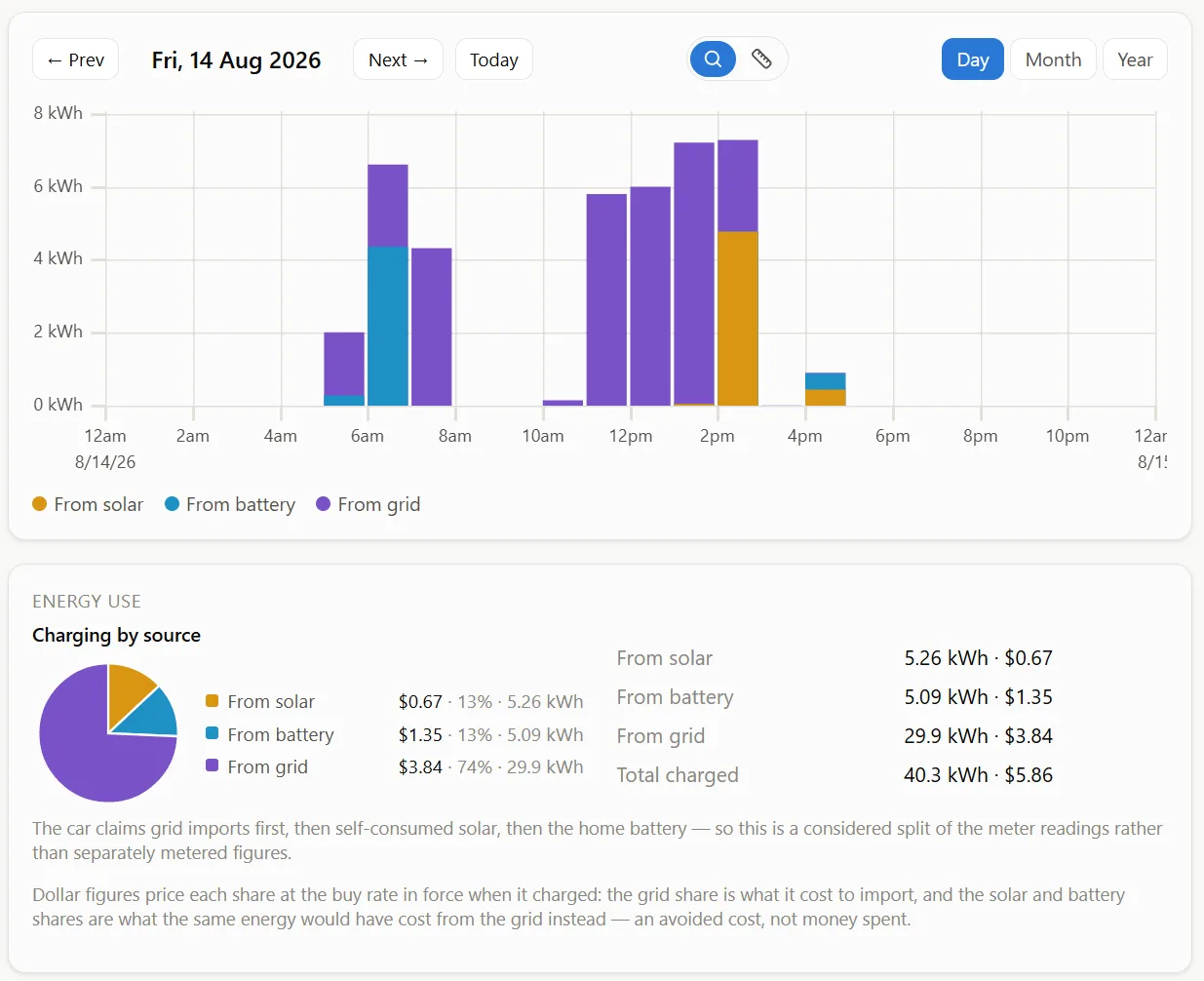
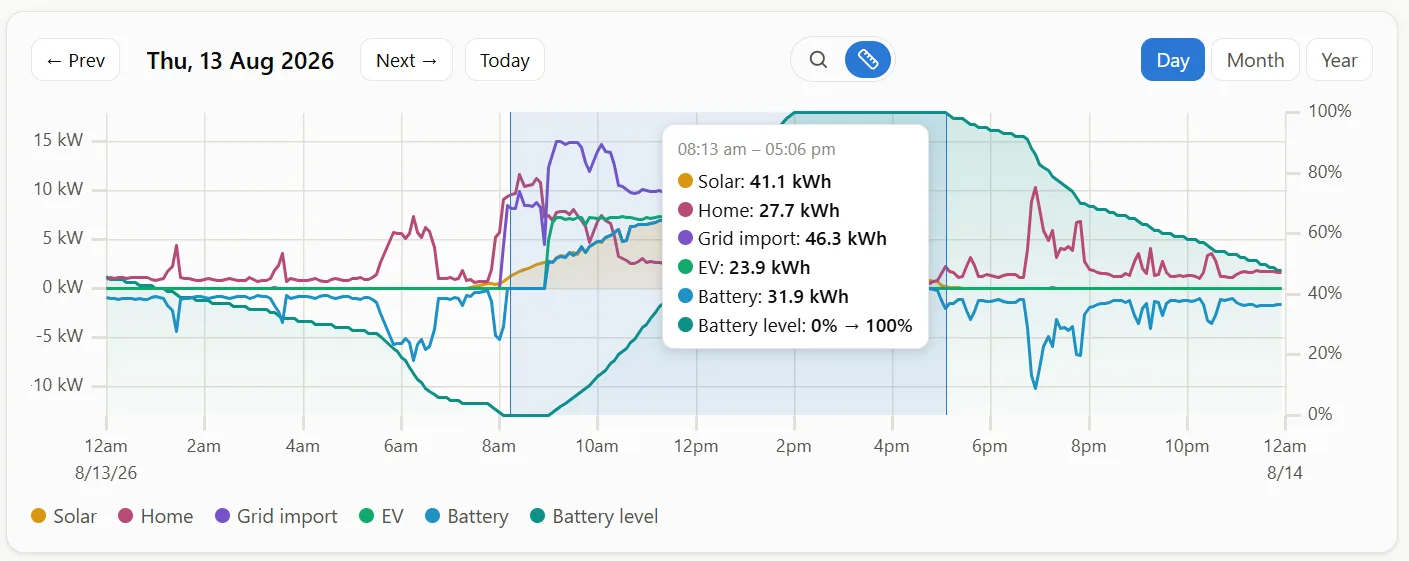
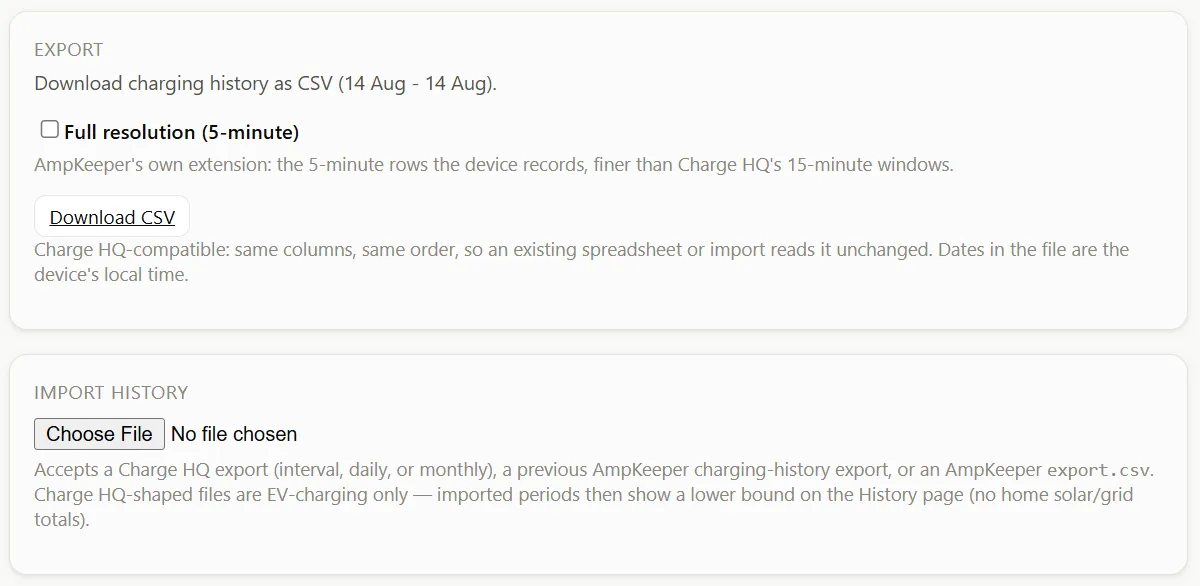
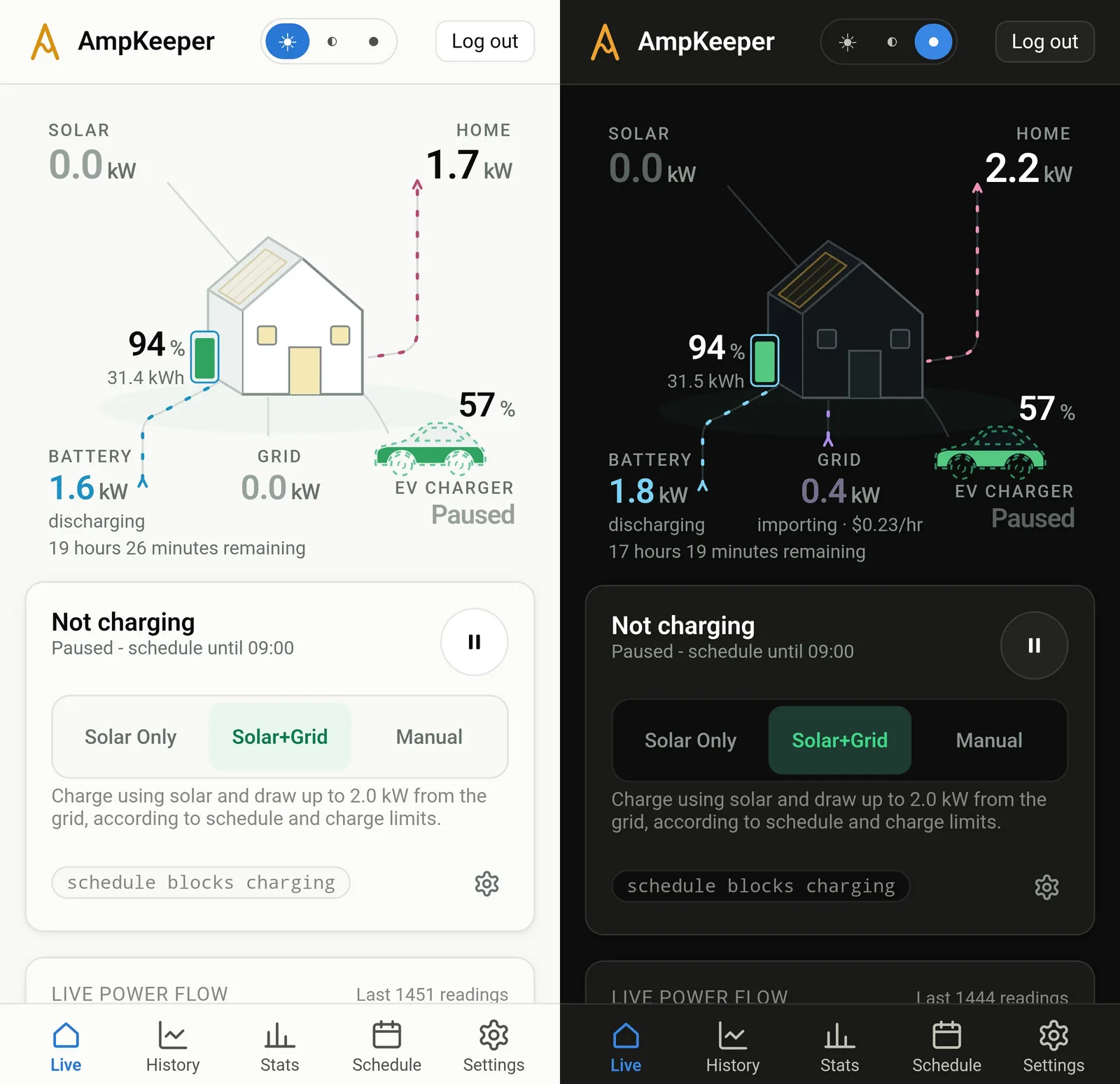
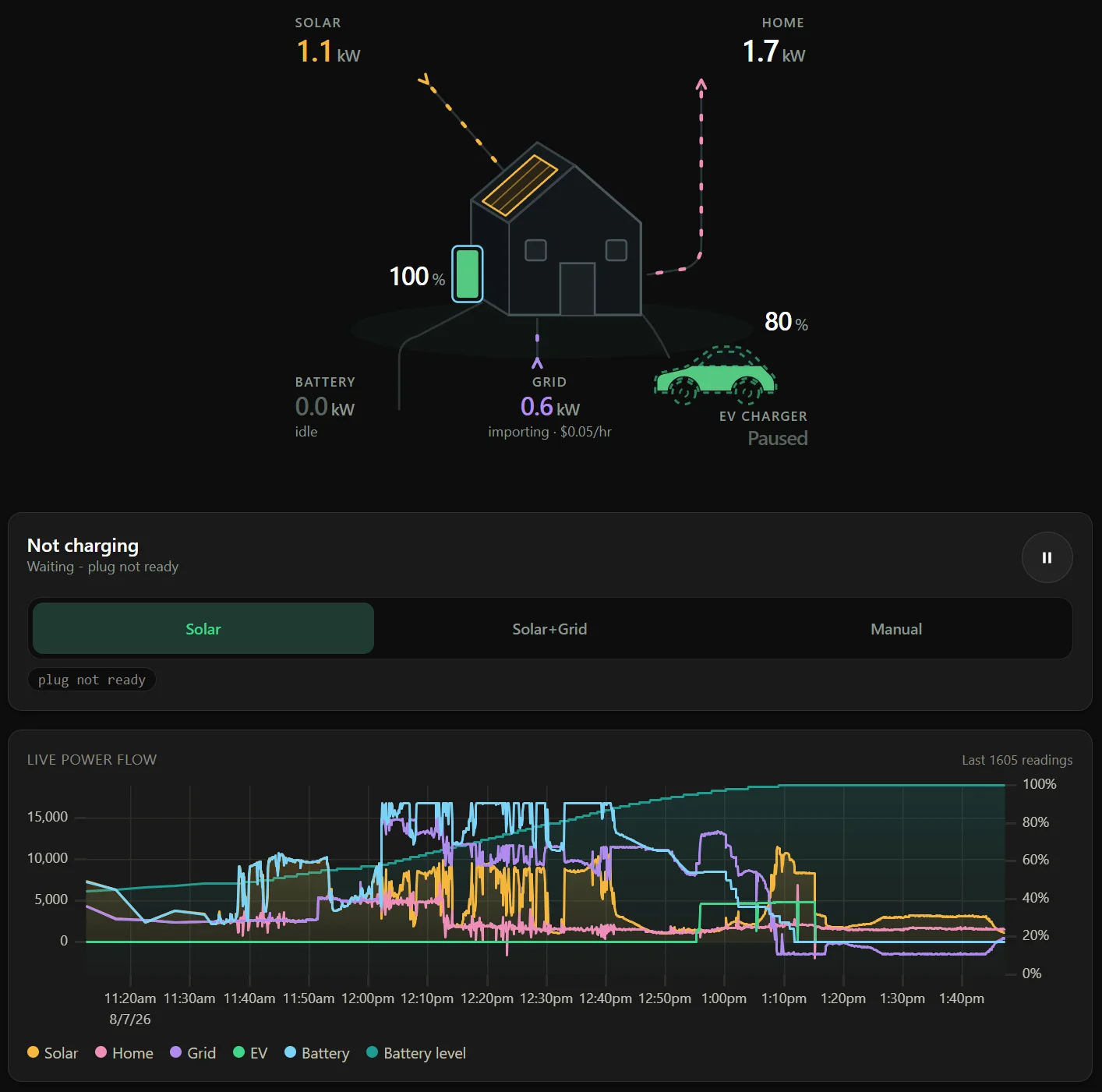
A live dashboard shows solar, grid, battery and car power in real time. Energy usage history and charging stats go back months in detail and years at daily resolution. Interactive charts offer detailed analysis with CSV spreadsheet export. A time-of-use tariff plan drives a live $/hr readout so you can see what solar charging is actually saving you.

09

Optional AmpKeeper Connect for when you're away

Check in from anywhere without touching your router: remote access, cloud backup, alerts and a multi-device console over a single outbound, encrypted connection. This small optional add-on is never a requirement - the box does its whole job without it.


The honest comparison

Three ways to charge on solar.

AmpKeeper Cloud subscription service DIY on a Raspberry Pi
Ongoing cost None required Monthly or yearly None, plus your own time
Internet down Keeps charging Stops Keeps charging
Can be switched off Nothing to switch off Yes - it's someone's server Only by you
Setup effort Wi-Fi portal, about five minutes Sign up, link accounts Linux, YAML, an SD card to maintain
Where your data lives On the device, in your house In their cloud On your Pi
Open-source software on a Pi is excellent and we're glad it exists, but it's a homelab project, not an appliance. If you'd rather not maintain a Linux box, AmpKeeper can provide all of the functionality without the complexity. The AmpKeeper Connect add-on is entirely opt-in - the box works fully without it, unlike a subscription service.

Questions

What will it cost?

Production costs are still being finalised so we don't know for sure, but we are aiming for a price under AU$150 for a fully assembled, ready-to-use device.

I don't want another subscription. Do I need one?

No. This is a one-off purchase, with no ongoing subscription fees for full functionality. AmpKeeper Connect, if you want it, is a small optional add-on to cover our ongoing server hosting costs but is never required.

Do I need to have a Tesla for this to work?

No. Any EV that charges through an OCPP-connected wallbox works - a BYD, an MG, a Kia, a plug-in hybrid, anything with a plug - which means most smart chargers on the market. Tesla gets one extra trick: direct Bluetooth control, which means it works even without a smart wallbox.

How does it control my Tesla?

Over Bluetooth, paired like a vehicle key, using the protocol Tesla publishes. You approve the pairing once at the car. No Fleet API account, no per-command fees, no API subscription to Tesla, no cloud round trip.

Do I need a smart wallbox?

Not if you drive a Tesla. AmpKeeper controls the car directly over Bluetooth and adjusts its charge rate to follow your solar, so a basic wallbox or portable charger is all the hardware you need. For any other EV, charging is managed through the wallbox, so you need one that speaks OCPP, which most smart chargers on the market do.

What if you disappear?

Then your box keeps charging your car. Everything it does to track your solar and manage your charging runs locally on the device, with no ongoing dependency on us, our servers, or an internet connection. There is no requirement to ever turn on AmpKeeper Connect.

I'm on a cheap overnight EV tariff. Is this still worth it?

Maybe, and we'd rather you knew that up front. If your plan has a very cheap overnight window, grid charging in that window can rival solar charging on cost, and AmpKeeper's price-based rules will happily use it. Most households aren't on one of those plans though, and feed-in tariffs keep falling, so every kilowatt you export for a few cents is worth far more in the car. AmpKeeper lets you do both: sunshine by day, a cheap-window top-up when you need it.

Where does my data go?

Nowhere. Live figures and charging history live on the device and in your browser, with CSV export when you want them out. The only outbound traffic is an optional firmware update check, unless you opt into AmpKeeper Connect.

When can I get one?

The beta is running now in real houses on self-flashed devkits. Enclosed hardware follows, but we won't name a ship date before we know we can hit it. The waitlist is how the first run gets offered: leave your email and you'll hear before it's public, with first call on a unit.

What is AmpKeeper Connect?

The optional add-on for when you're away from home. The box makes a single outbound, encrypted connection to our servers, which gives you remote access without any port forwarding or router setup, plus cloud backup, alerts and a multi-device console. Those servers have real hosting costs, which is why Connect is a small paid add-on rather than being baked into everyone's device price. It is never required: everything else on this page runs locally on the box with no subscription, and keeps working exactly the same with Connect off.


Beta program

Join the self-flash beta.

Buy a devkit online, flash it yourself with our guide, and you have a working AmpKeeper before the final hardware exists. You get direct support from the developer, regular updates on what changed, and real influence over which devices get supported first.

It is a beta, so caveats apply: you flash it over USB, updates may not always work, and a schema change may mean an erase and reflash. Our goal is to recruit ten to twenty people, chosen for real-world hardware diversity. A small amount of technical know-how is required.

We are especially keen to hear from you if you run a SunSpec inverter that isn't Sigenergy, or an OCPP wallbox.

We'll email you a link to confirm your address: your application goes through when you click it, and nothing is recorded until then.


Start charging on sunshine.

The first production run gets offered to the waitlist before anyone else. Leave your email and you'll get first call on a unit when hardware is ready to order, plus updates on progress in between. One list, no spam.